Running your first mission.
A mission is one piece of work handed to the crew: a feature, a fix, a report, a piece of research. You do two things in it: write the brief, and decide at the gates. Everything in between is the crew's job, and you can watch all of it.
Write the brief
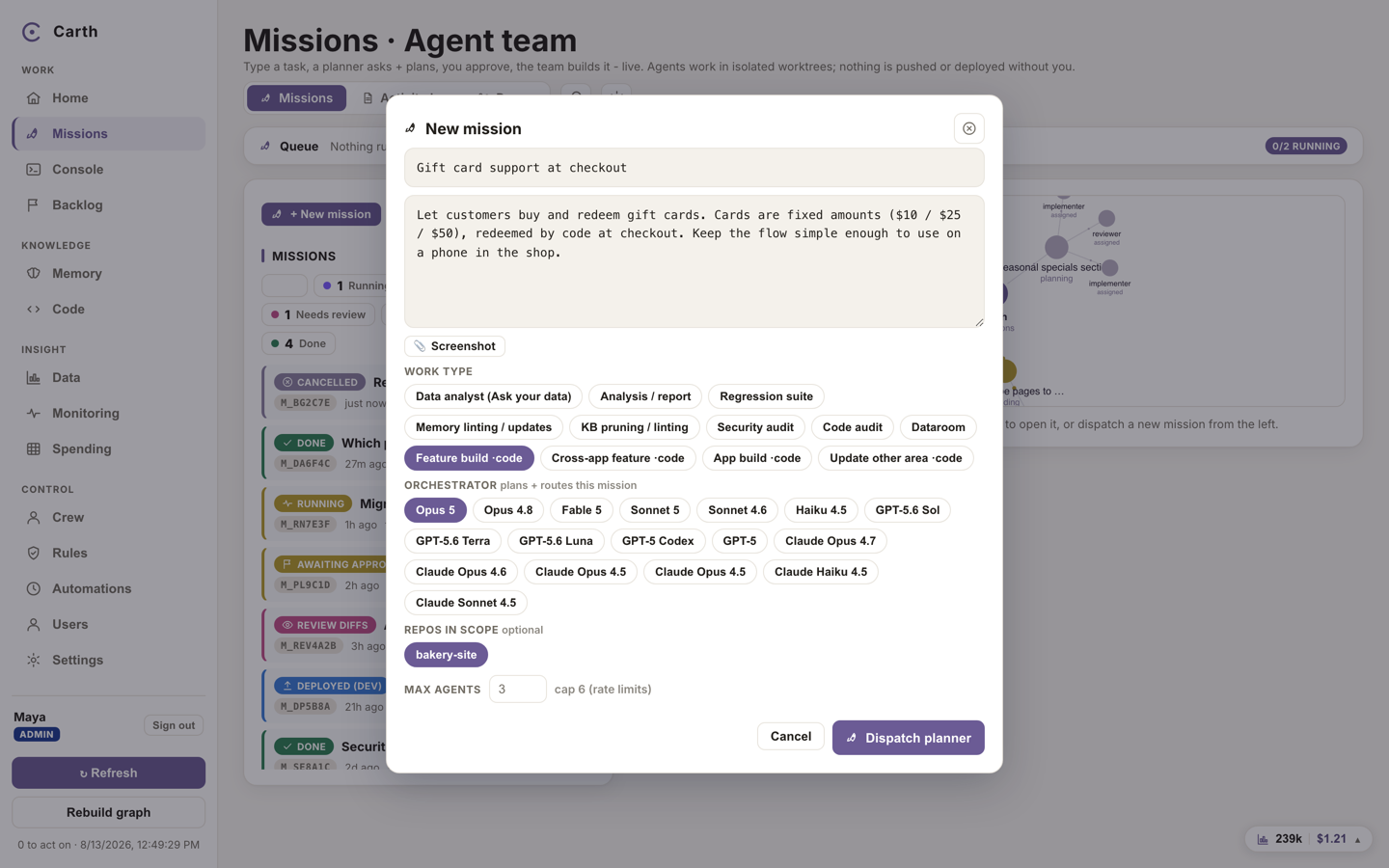
- Open Missions from the sidebar and press "+ New mission".
- Write what you want in plain sentences, the way you would brief a contractor: the outcome, not the method. One concrete goal per mission works better than a wishlist.
- Pick a work type and, for code work, the repositories in scope. The form offers starting points suited to your role, a fix, a feature, an analysis, a piece of content, which fill in a sensible shape you can then edit.
- The form also shows an "Orchestrator model" picker and a "Max agents" field. Both come pre-filled with sensible defaults, and accepting them as they are is fine.
- Send it. Nothing is built yet: first, a planner reads your repositories read only and comes back with a plan.
Answer questions, then approve the plan
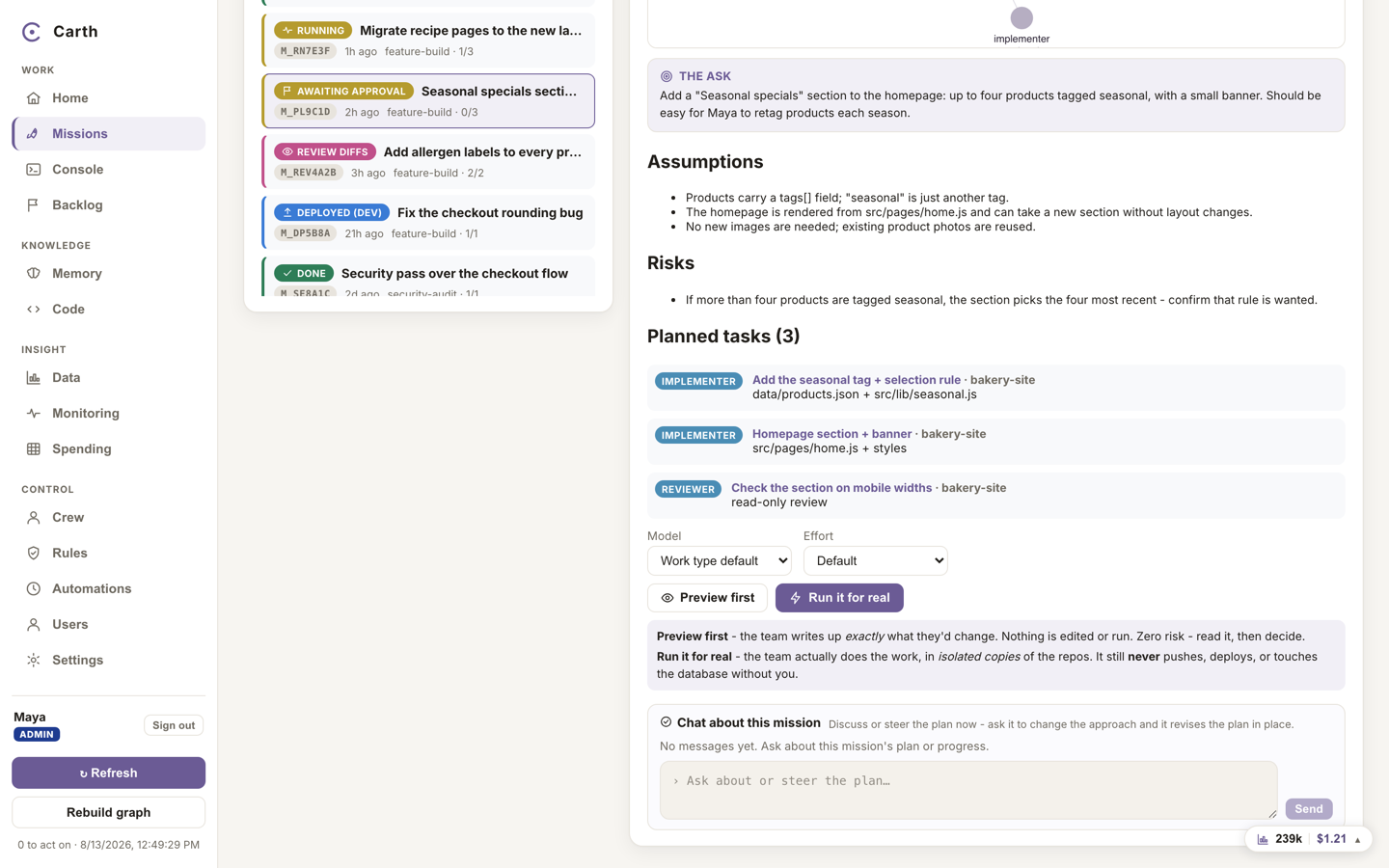
The planner splits your brief into independent tasks, and states its assumptions and risks. Two things can come back:
- Questions. If something in the brief is ambiguous, the mission waits for you. Type your answers and press "Send answers · re-plan": the planner folds them in and plans again.
- A plan. When there are no open questions, the mission waits at your first gate. Read the tasks and the assumptions. Nothing has cost anything beyond the planning itself, and nothing runs until you approve.
At the gate you choose how much rope to give:
- "Preview first" runs the plan in a read-only rehearsal: the crew writes up precisely what it would do, and changes nothing. A finished preview can then be run for real.
- "Run it for real" lets the crew do the work. Code is edited only inside isolated copies of your repositories; pushing, deploying and databases stay blocked throughout.
These gates are the default path for a code mission you file yourself, and two kinds of work take a shorter one on purpose. A scheduled routine dispatches and approves its own mission, unattended, because that is what scheduling it means. A read-only analysis mission has no gate at all, because it answers a question and changes nothing. Each of the three is recorded as itself, so the history never claims a person approved something when no person was there.
Before the plan is approved you can also talk to the mission directly from its page: ask the planner why it chose something, or tell it to revise the plan. A revised plan lands back at the same gate.
Watch the crew work
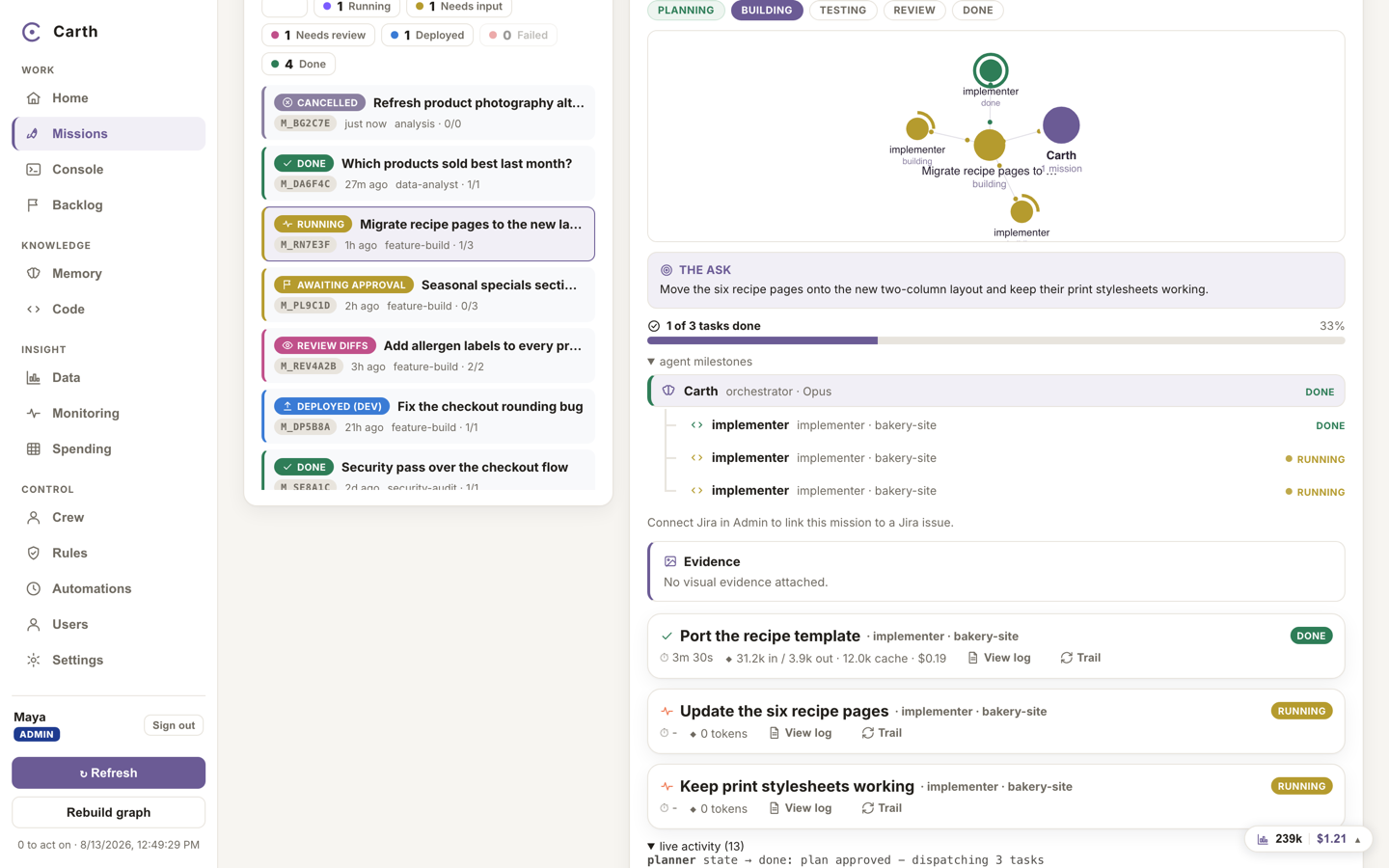
Approved tasks fan out to the crew, three agents at a time by default. Each code task builds inside its own worktree, an isolated working copy on its own mission branch, so parallel work never collides and your live code is never in the room. That isolation is a condition of the work, not a preference: if a task that edits code cannot be given its own copy, the task fails and says so, and no agent is started. A reviewer reads the results, and an automatic checker scores each change against the task before you ever see it, passing it or raising a concern.
You do not have to watch. Close the tab; the mission carries on, and Carth notifies you at the moments that matter: when work is ready for review, when a question is waiting, when something failed, and when a budget stops things.
What is happening, and what is waiting on you, stays visible without you going looking:
- A count on Missions. The Missions item in the sidebar carries the number of missions running right now, so you can tell at a glance whether the crew is busy.
- Progress as tasks land. A mission shows how many of its tasks are done against how many there are, on its row in the list and on the notice about it.
- Notices that group rather than stack. A repeat about the same mission replaces the notice already on screen and bumps its count, instead of piling a second card on top of it. The ones that need a decision from you stay put until you deal with them, and clicking any of them opens the mission it is about. The rest gather in the bell.
While a mission runs you can follow a live log of what each agent is doing, and ask the mission questions without interrupting it.
Read the evidence
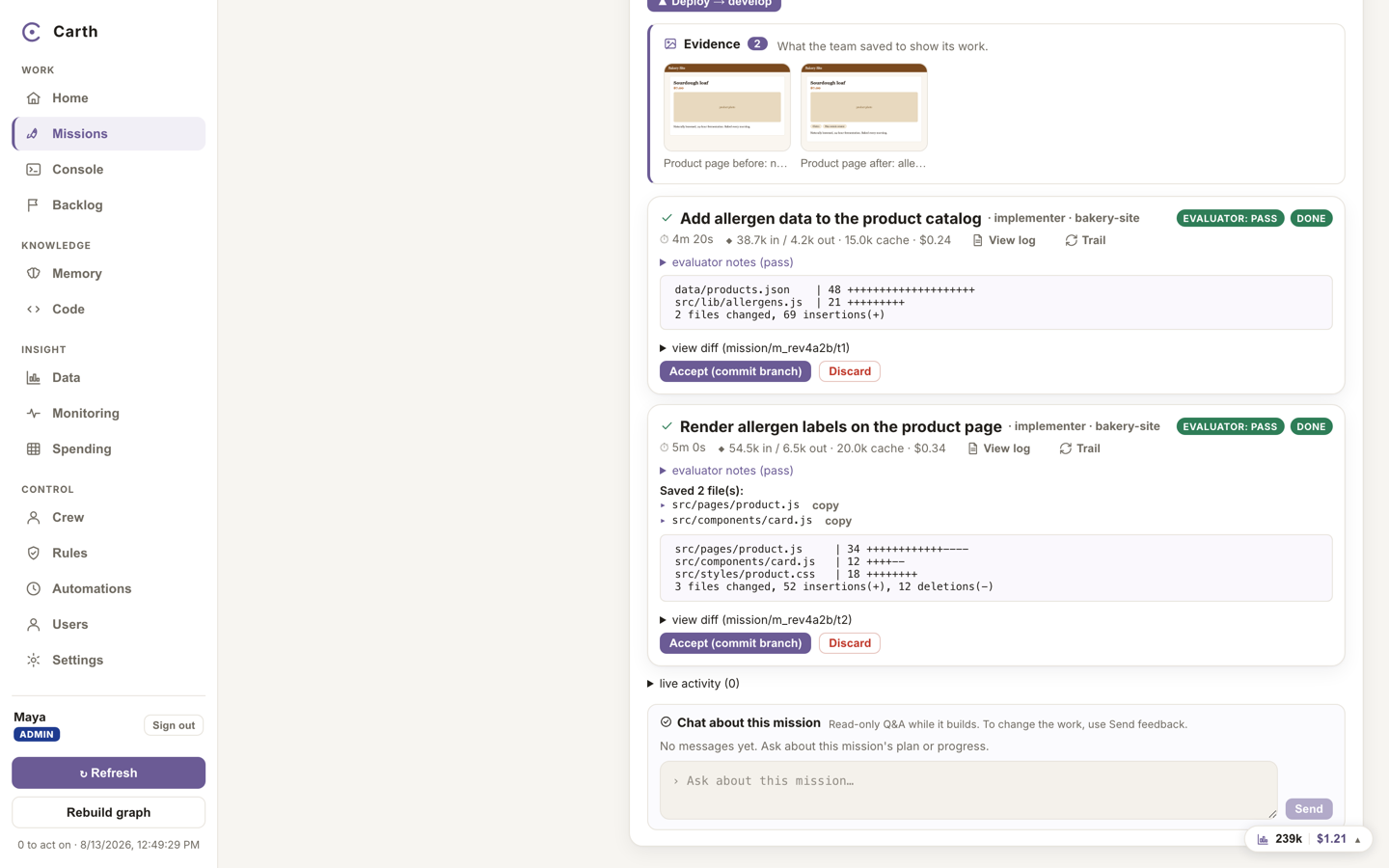
When the work is ready, the mission shows its evidence before its code: screenshots, rendered pages and deliverable files the crew saved to show what it did, each with a caption. The evidence sits above the diffs on purpose, so you can judge the work by looking at it rather than by reading a patch. Under the evidence sit the diffs themselves: which files changed, and what changed in them, for anyone who does want to read the code.
A mission that produced nothing visual says so plainly: "No visual evidence attached". That is a fact about the mission, not an error.
Next. The work is at your gate. What approving, sending back and shipping actually do, and what happens when the reviewer raised a concern, is the next guide: approving and shipping.