Approving and shipping.
The crew moves fast inside the harbour, and there is exactly one opening. This guide is about standing in it: what your choices at the review gate do, what merge and deploy mean, and which decisions belong to which role.
The review gate
Before anything else, one honest qualification. The six stages you read about elsewhere, you brief, Carth plans, the crew builds in isolated copies, a reviewer reads the result, you approve, it ships, are the default path for a code mission, not a law covering everything Carth runs. A scheduled routine runs unattended, because running unattended is the whole point of scheduling it. A read-only analysis mission has no gate at all, because it changes nothing and there is nothing to ship. Everything in this guide describes the code path, and the record always says which of the three actually happened.
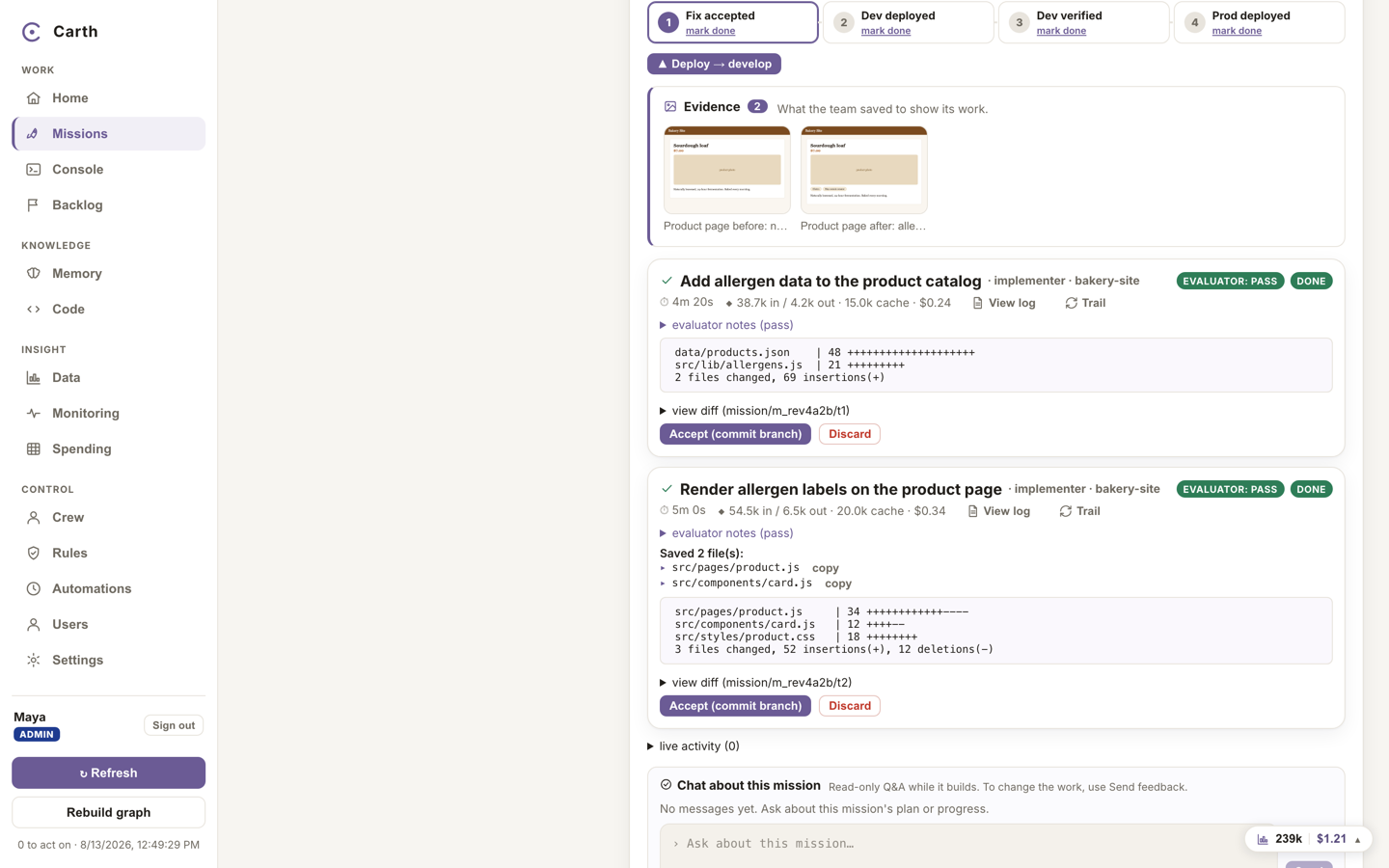
A mission that produced changes waits in review. Its page shows the evidence first, then the diffs, and offers three choices for the work:
- "Accept (commit branch)". You are happy with a task's work. Accepting records the change on its own mission branch, ready for shipping. It does not push anything anywhere and it does not touch your product: it is you saying "this is good".
- "Send feedback / fix". You want changes. The button sits in the mission's header, marked with a small speech bubble. Write what is wrong or what is missing, in plain words, and send it: the builder takes another round with your notes, the reviewer checks it again, and the work comes back to the same gate. That loop can happen as often as it needs to.
- "Discard". You do not want this change at all. The isolated copy is thrown away and nothing of it reaches your code.
When the reviewer raised a concern
Every change is read by a reviewer before it reaches you, and the reviewer's verdict is either a pass or a concern. A concern used to be a note you could scroll straight past. It is not any more. While a concern is live and unread, the actions that carry the work forward are refused: approving a plan, running it for real, accepting a task's work, deploying, verifying, and promoting to production.
The refusal is not a wall, it is a reading. It puts the reviewer's own words in front of you, in full, and offers one control that reads them and continues. Pressing it records the acknowledgement against your name, with the time and exactly which concerns it covered, and the action you were taking goes through.
Three things are worth stating precisely, because a safety feature that gets these wrong is worse than none:
- Retreating is never blocked. Cancelling, pausing, discarding, answering a question and simply reading the mission all work exactly as before. Backing away from work you are unsure about must never be the thing that is hard to do.
- Acknowledging is not agreeing. Having read the concern you can still send the work back with feedback, or discard it outright. What this blocks is shipping without seeing, not shipping.
- A new concern arms it again. If a later review raises a different concern, the earlier acknowledgement no longer covers it, and the work waits to be read once more.
Acknowledging belongs to whoever holds the ship gate, because shipping is what it protects, and filing a mission does not buy the right to wave a concern through on it. Someone without that gate still reads the concern in full and is told whose decision it is: reading was never the thing worth gating.
What merge and deploy mean
Software teams usually keep two lines of code. One, commonly called develop, is the shared working copy where changes are tried out together. The other, commonly called main, is production: the code your customers are actually using. Carth keeps that separation and turns each move into an explicit press.
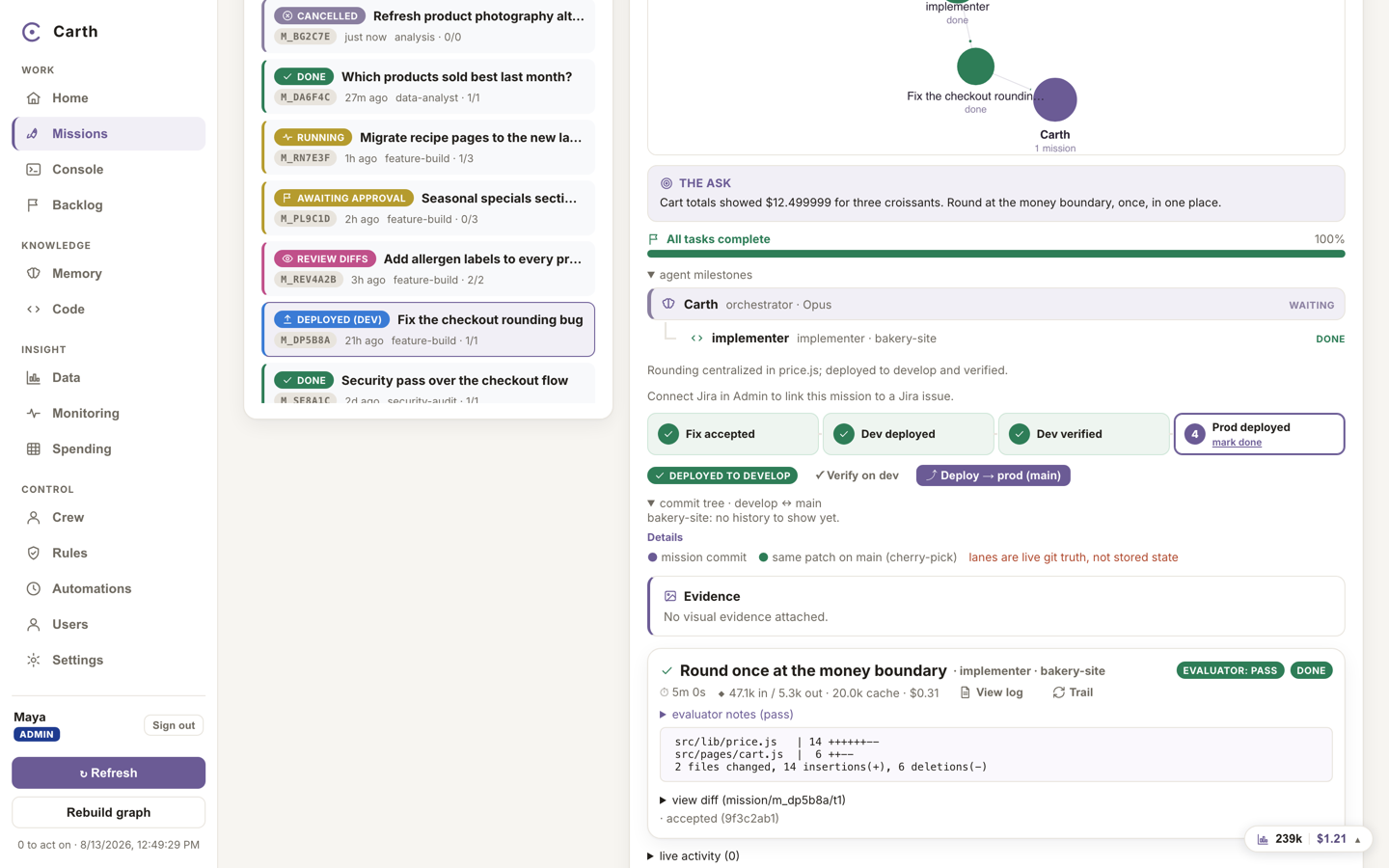
- Deploy to develop. The button reads "Deploy → develop". It takes the mission's accepted work and merges it into the develop line, where you and your team can try the change in a test environment before any customer sees it. The mission's status becomes deployed.
- Verify on dev. Try the change. A mission refuses to promote work that has not passed verification on dev; if you mean to go anyway, you say so as an explicit override rather than by not noticing.
- Promote to production. The button reads "Deploy → prod (main)", drawn with a small rising arrow, and the confirmation that follows is titled "Promote to production (main)". It carries exactly the commits you tested across to the production line. This is the moment customers get the change, so the confirmation makes you type it: the repository's name, or the word PROD. The mission's status becomes shipped.
That typed confirmation is asked for wherever the promotion can be started, not only from the mission. There is more than one door onto production, and they now demand the same words, so no route is the quiet way round.
After a deploy, the mission page draws the actual commit history of both lines, with the mission's own commits highlighted, so you can see with your own eyes where the work is. And if work reaches develop or production by some route outside Carth, the cockpit reconciles against the real git history rather than insisting on its own record.
Who the record says approved
"Approved" is a strong word, and it should only be used when it is true. Every approval now records which of exactly three things happened:
- A person. Someone with a name and a role pressed the button. This is the only one drawn in the approval green, because it is the only one where somebody said yes.
- A schedule. A routine dispatched its own mission and approved it, unattended, which is the point of scheduling it. The record names the routine and says in plain words that no person was in the loop. A schedule is not a role that any gate accepts, so naming the approver honestly never turned into a way of passing a check.
- No gate. The work type never had one. Read-only analysis missions are the case you will meet: they run read-only questions and change nothing, so the record says there was no gate rather than borrowing the word approved.
Routines previously wrote no approver at all, which left a hole in the trail exactly where the approver belonged. Nothing in the audit trail now suggests a person was involved when none was.
Who can approve what
Approval rights are enforced on the server, per role. A button a role cannot use is hidden rather than greyed out, and reaching an action by any other route answers with a refusal naming whose decision it is.
| Role | Review: approve, send back, accept | Ship: deploy and promote |
|---|---|---|
| Admin | Any mission | Yes |
| CTO | Any mission | Yes |
| CFO | Own missions | No |
| Marketing | Own missions | No |
| Viewer | No | No |
Acknowledging a reviewer's concern counts as a ship decision and sits in the ship column, with the people who can actually act on it.
What ran and what shipped is written into the permanent "Activity log" under Missions, every agent run with the files it saved, plus deploys and verifies, and that record survives even if the missions themselves are cleared. Home's "Waiting on you" list shows only the gates your role can actually clear; anything paused on somebody else appears as one quiet line naming the role that holds it.
Next. The crew works better the more it knows about your business. Teach it in the knowledge base.