Spending and budgets.
Running AI agents costs money per token, and a tool you cannot leave alone with a card is not a tool. Carth answers that three ways: one page that shows every cost, caps that stop the spend before it happens, and a one-press choice of how expensive your crew should be.
The Spending panel
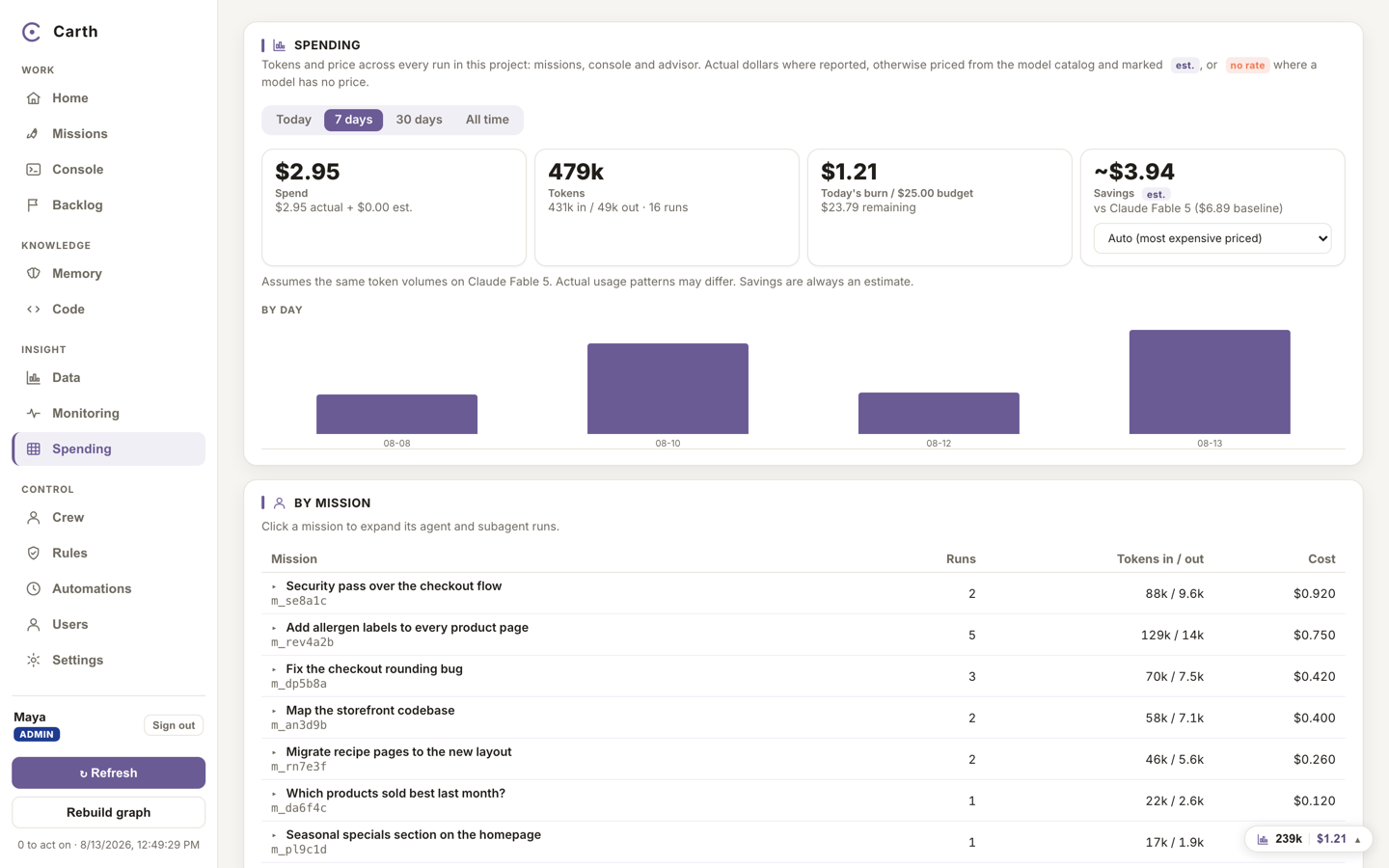
Spending, in the sidebar under Insight, gathers every run in your workspace onto one page: missions, console conversations and the advisor alike. You can slice it by time range, by mission, by model, by provider and by role, and click a mission to expand the individual agent runs inside it.
The numbers are deliberately honest:
- Actual where reported. When a run reports a real dollar cost, that is the figure shown.
- Estimated where priced. When only token counts came back, the cost is priced from your model catalogue and marked as an estimate.
- "subscription" where a run happened on a subscription that reports no dollar figure. The cockpit writes that word rather than inventing a price.
- "no rate" where a model has no price in your catalogue, rather than a misleading zero.
- Waste, counted fairly. Waste is tokens spent on runs that failed or were cancelled. A run that failed, was retried and then succeeded counts as a retry, not waste, because the work landed.
A savings figure compares what you actually spent with what the same tokens would have cost on one baseline model you choose. It is an estimate and it says so.
Budget caps
Caps are the difference between watching spend and controlling it. Carth has two, and both stop work before the money goes out rather than reporting it afterwards:
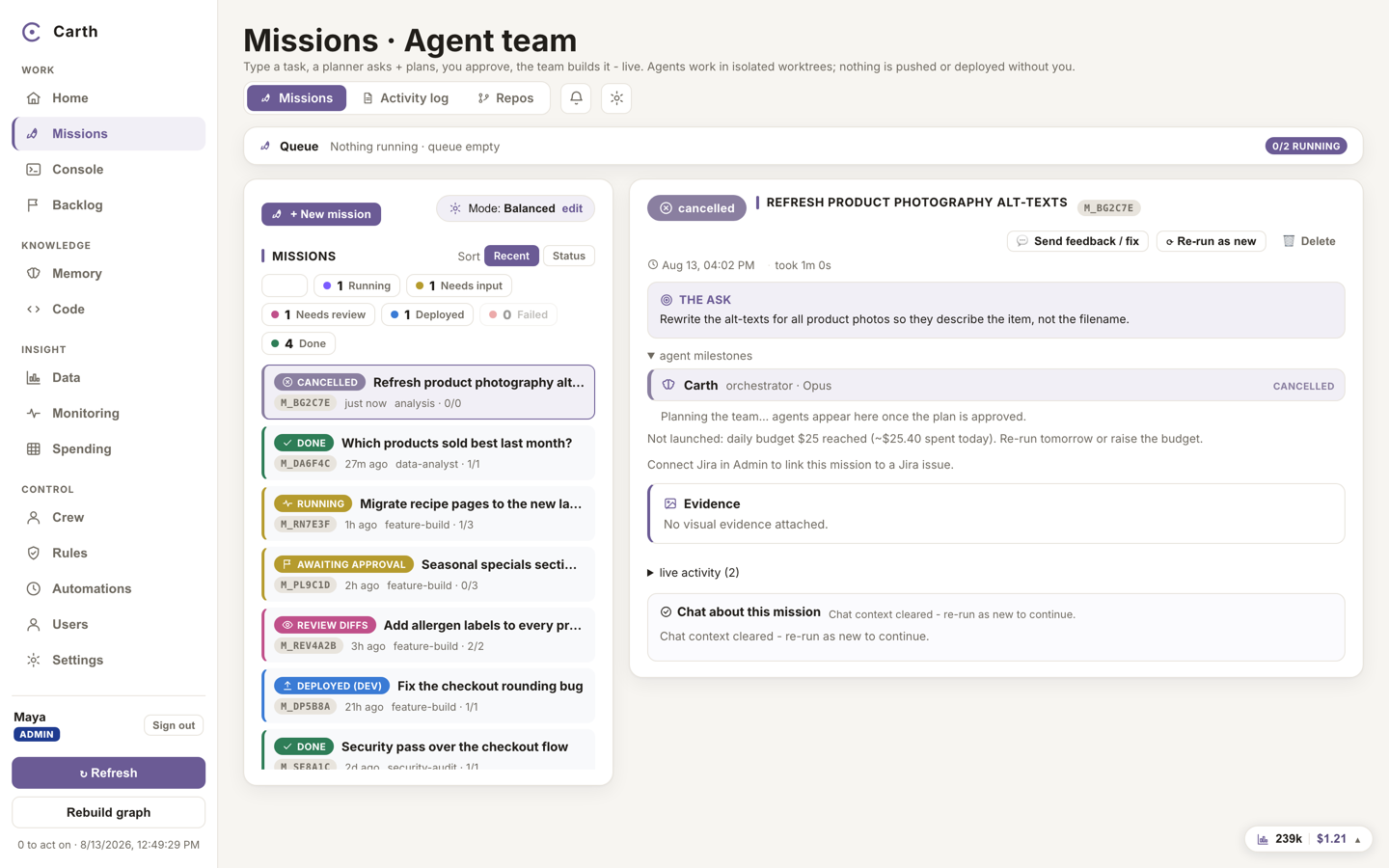
- The daily budget. A dollar ceiling for the day, set for the workspace. When the day's spend reaches it, the next mission is parked with a clear budget event and you are notified, instead of it launching and you finding out later. Work that is already running is never killed mid-flight.
- The per-mission ceiling. A dollar ceiling for one mission. A mission that passes it stops taking on its remaining tasks at the next task boundary.
A budget left empty or set to zero means no cap, never "block everything". Setting budgets is the budget gate, held by the admin and the CFO; the daily budget is offered as "Daily token budget" when a workspace is set up, and can be changed later in the project's settings. Routines, the scheduled agents, respect the same daily cap: a routine skips its turn when the day's budget is spent.
Eco, Balanced and Max quality
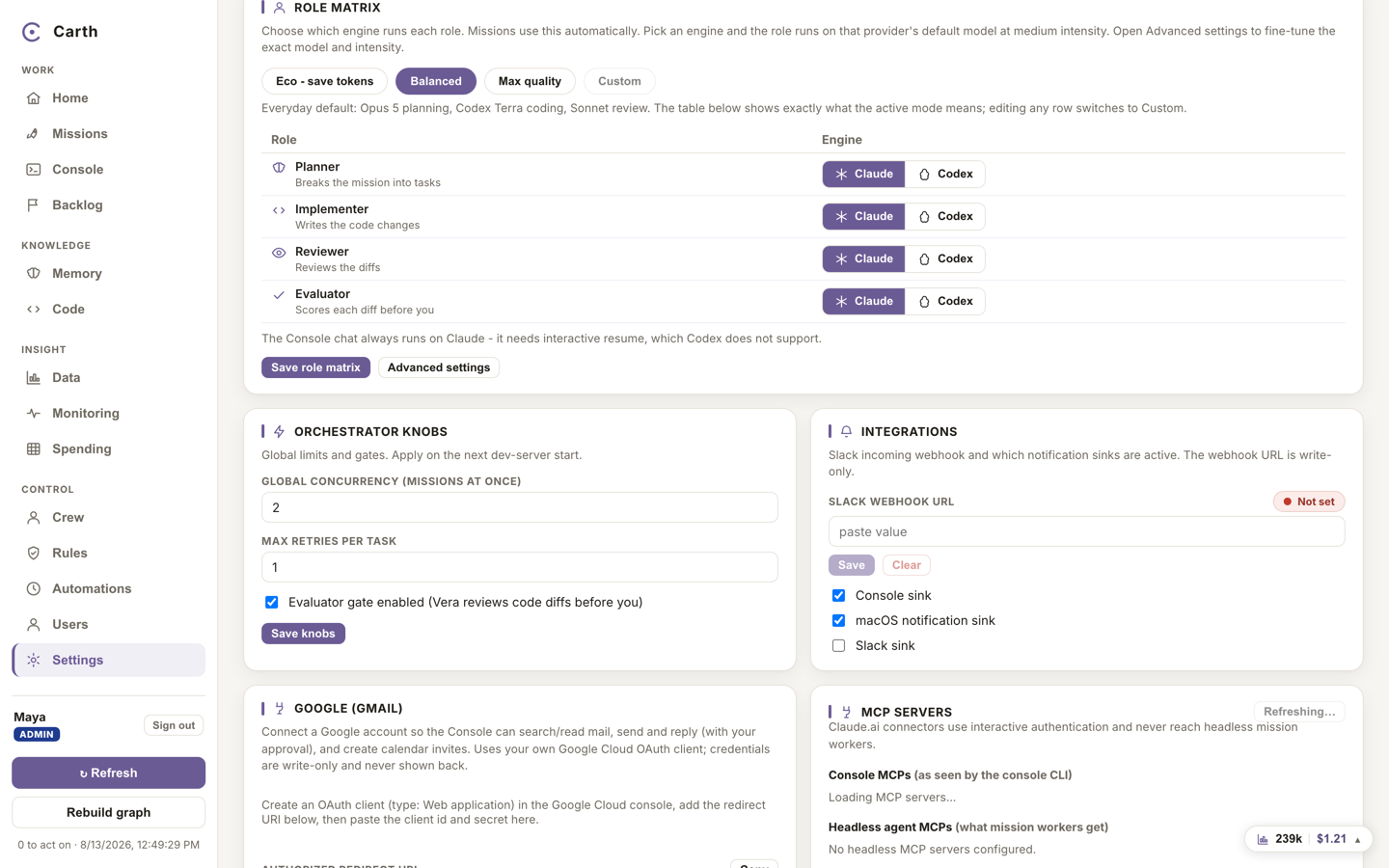
Each role in a mission, the planner, the builder, the reviewer and the automatic checker, runs on a model you choose, and models differ in price the way contractors do. You do not have to tune four roles by hand: the role matrix, in Settings, has three built-in presets.
- "Eco - save tokens", Eco from here on, puts cheaper models on every role. Missions cost the least; the thinking is lighter.
- Balanced is the everyday default: a strong planner, an economical builder, and the cheapest model on the checking step, where it is genuinely enough.
- Max quality puts the strongest models on the roles that think. The most expensive way to run, for the work that deserves it.
Pressing a preset fills the whole table in one step, and a table below the buttons always shows exactly what the active choice means. Editing any row by hand turns the mode into Custom, which you can save under your own name, and a single mission can override the table for itself. The built-in presets cannot be edited or deleted, so there is always a known-good state to go back to.
Bringing your own keys
Carth runs its agents on two engines: Claude and Codex. Those two do the actual planning, building and reviewing, and you can route any role to either in the role matrix. Connecting them is a one-time step, either a subscription you already pay for or an API key, described in connecting an engine.
Beyond those two, you can add your own API key for other providers: Gemini, Grok, Kimi, DeepSeek, Qwen and GLM, plus a slot for a custom one. Adding a key there does exactly one thing today, and we would rather say it precisely: it puts that provider's models into your catalogue, tracked and priced, so your spending is priced correctly. No agent is dispatched to those providers until a real adapter for them exists, and the engine picker will not offer them. Provider names are the trademarks of their owners.
Every key you add is write only: the cockpit will confirm a key exists and will never show it back, to you, to another user, or to an agent. Each provider also has its own on and off switch.
Next. Caps control the model spend; your plan sets the seats and the storage. See your account and plan.