The knowledge base.
The crew is only as good as what it knows about your company. The knowledge base, the brain, is where that knowledge lives: what your product is, how your business works, and what has been decided before. Every mission and every console conversation starts already knowing it.
Why it matters
Without a knowledge base, every mission would pay to rediscover your company from scratch, and would guess where it could not discover. With one, the crew starts each job briefed: the planner already knows what your product does, the builder knows the decisions you have already made, and the whole run is faster, cheaper and less likely to assume something wrong. The knowledge is retrieved by the agents as they work, read only, and it never leaves your container.
Seeding knowledge
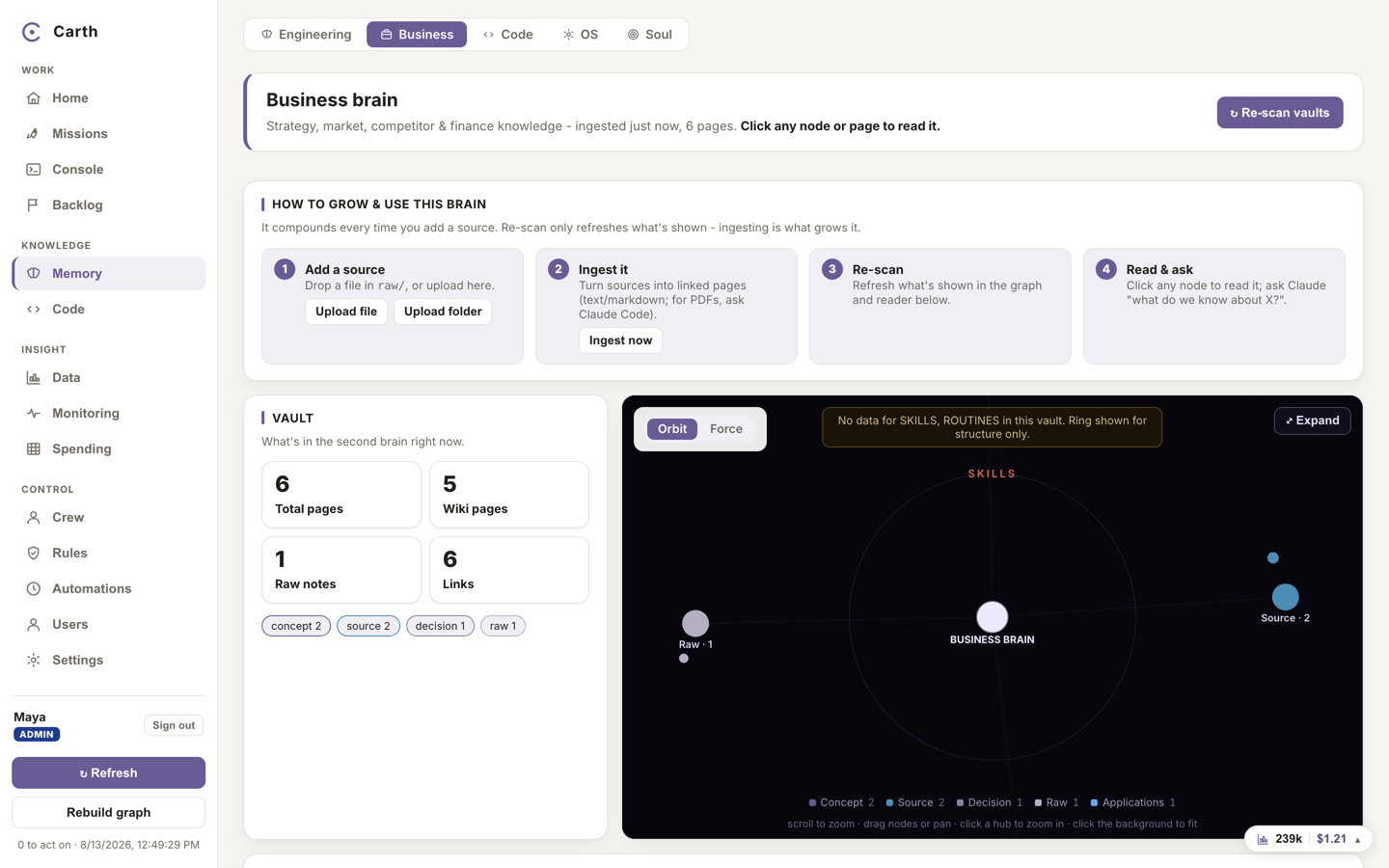
The knowledge base lives under Memory in the sidebar. It grows two ways: the crew records what it learns as it works, and you feed it directly. Feeding it is worth an hour in your first week. You can do it while your workspace is being set up, on the setup step that asks for it, or at any time afterwards from Memory. Both places do the same thing, so a step you skipped at the start costs you nothing but the time.
- Open Memory from the sidebar and go to the Business vault.
- Under "Add a source", press "Upload file" for a single document or "Upload folder" for a set of them. Good seeds are the things you would give a new senior hire: what the product is, who the customers are, the pricing, the roadmap, the decisions that are already settled.
- Press "Ingest now". Carth turns the raw material into readable wiki pages, linked to each other, that agents can find and cite.
- Read what came out. The pages are yours to correct, and a wrong page teaches the crew the wrong thing just as reliably as a right one teaches it the right thing.
Text and markdown documents are read straight into pages. A PDF or a spreadsheet is kept exactly as you gave it until it is converted, so nothing is silently mangled on the way in.
The code half of the crew's knowledge needs none of this. Every repository you connect is read and mapped on its own, and that map is what missions start from, so you look after the business knowledge by hand and the code knowledge looks after itself. See connecting your repository.
One thing we would rather say than let you discover: there is no connector for Google Drive, Box or Dropbox today. Uploading files and folders is how documents get in, and if that changes it will be because we built it, not because it was implied here.
The knowledge base has its own storage allowance on each plan; the numbers are in your account and plan. If an upload would go over it, it is refused up front with the numbers, before anything is written.
How missions use it
Every agent prompt is assembled from a compact briefing: your repositories and how they connect, the settled facts about your architecture, your enabled operating rules, and retrieval tools over the knowledge base so an agent can pull exactly the page it needs mid-task. The same briefing warms the Console, the persistent chat over your whole workspace, so you can ask it anything the knowledge base knows without pasting anything in.
When the Console writes something worth keeping, a report, an analysis, a summary for someone who was not in the room, press Save as PDF above the conversation. Choose "The document Carth wrote" and you get the answer set as a document in your own brand colours, with its own headings and none of the chat around it. Your browser's save dialog then asks where to put it. Choosing "The whole conversation" instead saves the exchange as a record, with who said what.
Talking to your data
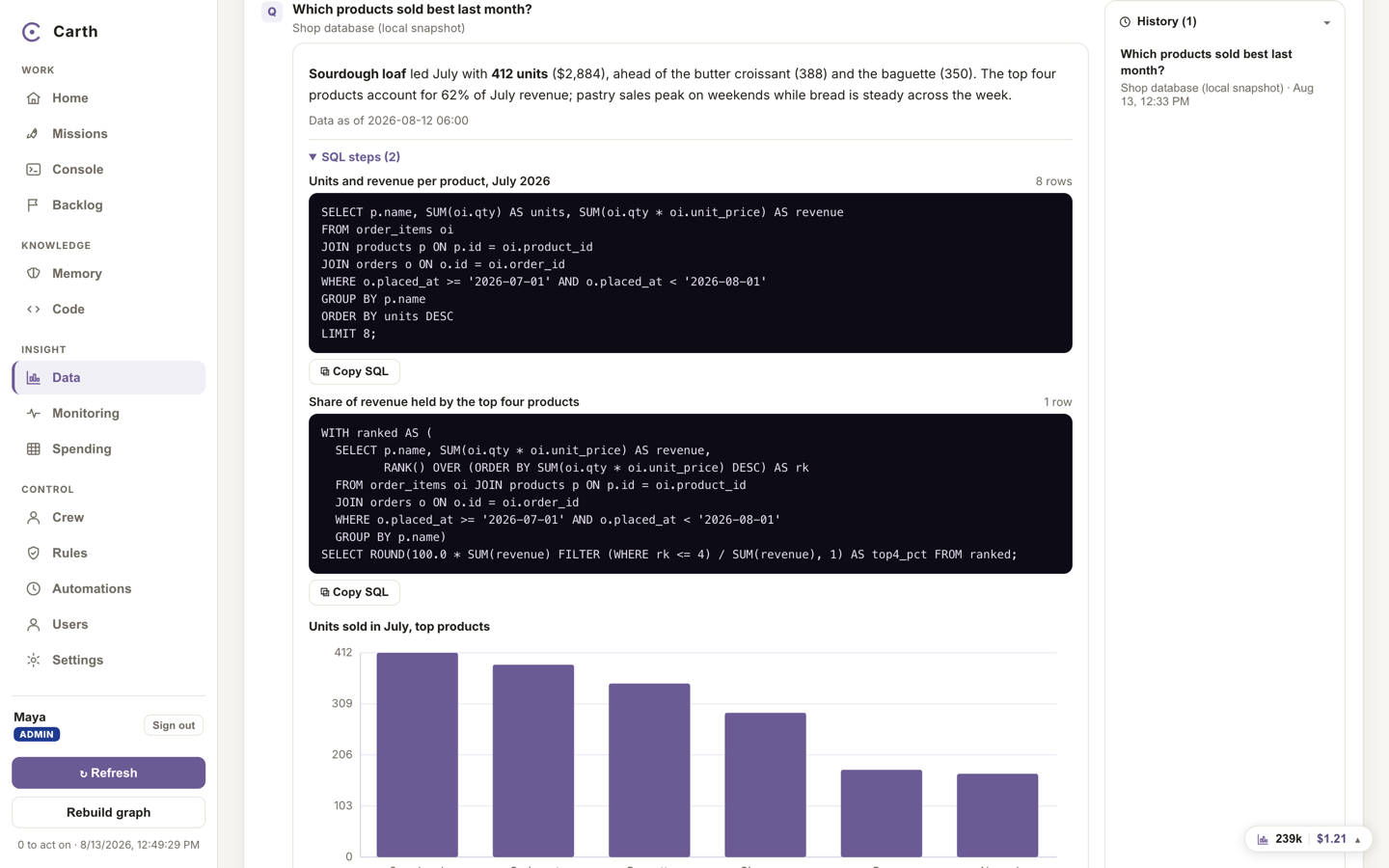
The Data area answers questions about your business numbers, in plain language, against a local copy of your database.
- Open Data Driven Decisions from the sidebar and press "Ask the data". The card it opens is titled "Ask your data".
- Type a question the way you would ask a colleague: which ten customers grew fastest last month, which products have not sold this quarter. Press "Ask".
- The analyst writes a safe, read-only query, runs it against the local copy, and answers with the rows, the exact query it ran as evidence, and a chart when one helps. You can press "Ask a follow-up" to keep going.
Two guarantees behind this. The questions run against a local copy of your data, never your live production database. And the analyst's access is physically read only, enforced by the database itself, so even a badly behaved query could not change anything.
Beside the ask box, a suggestions panel can rank concrete actions found in your own numbers, grouped as BUILD, FIX, IMPROVE and GROW, each carrying the query it ran as evidence. Suggestions are input for you, not instructions for the crew: the ones you like become missions through the normal gates.
Next. Knowledge makes the crew cheaper; caps make it safe to leave running. On to spending and budgets.